Our approach
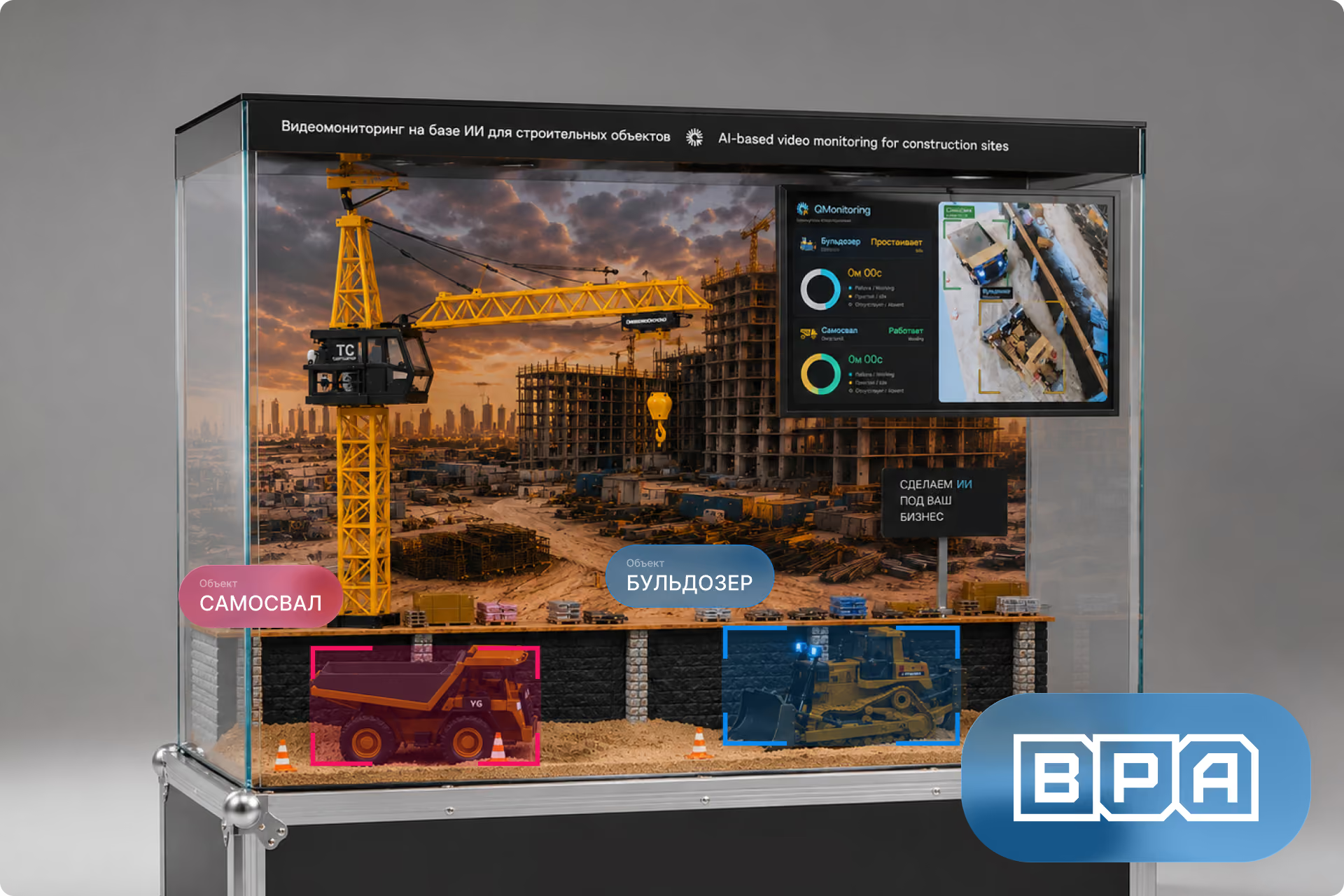
BPA specialists developed a demonstration hardware-software complex that integrates a miniature construction site, a video surveillance system, a local computing module, and applied video analytics software. The client defined the business objective, and the BPA team took full responsibility for the booth concept, structural design, hardware-software architecture, demonstration scenarios, computer vision system, and engineering implementation.
A camera captures the diorama from the site level, the image is transmitted to a Raspberry Pi mini-computer, processed by OpenCV algorithms, and displayed on a screen with overlays for control zones, object bounding boxes, equipment status, alerts, and analytical interface elements. This format allows AI in construction to be showcased not through a presentation or a pre-recorded video, but through a functioning physical object where the visitor sees the scene, the video feed, and the analysis results in real time.
Designing the demonstration complex
Work began with designing the overall layout of the booth. We had to combine a physical model, a protective enclosure, a camera, a screen, lighting, a computing module, cable infrastructure, and a demonstration scenario for embedded video analytics into one compact object.
A transparent acrylic display case was chosen as the base. This solution provided a closed, dust-proof enclosure that could house the construction diorama, background, electronics, lighting, and demonstration interface elements. At the same time, the case remained transparent, allowing the viewer to see both the model itself and the technical concept behind the booth.
From the very beginning, the booth was designed not as a one-off model, but as a demonstration engineering product: it can be transported, powered on at events, maintained, reconfigured, and used to showcase the capabilities of the video analytics platform for construction sites.
Creating the physical construction site diorama
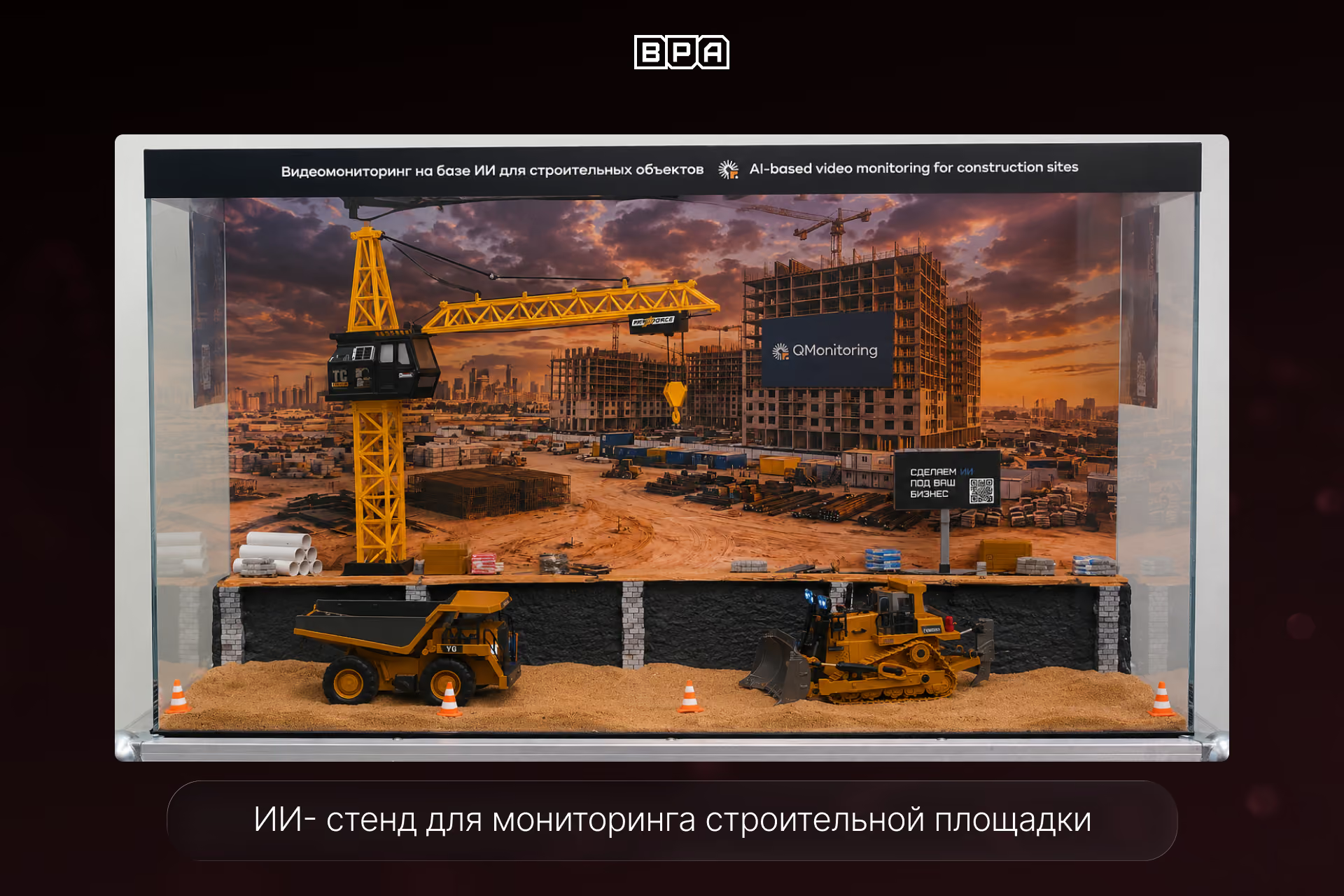
A miniature construction site was assembled inside the enclosure. A printed background featuring an urban construction site, a crane, unfinished buildings, and a sunset sky was placed on the back wall. The background creates depth and visually expands the space inside the display case. This approach allowed us to show a typical environment where intelligent video analytics can be applied.
The interior scene was divided into several zones so that the model would look like a cohesive construction site rather than a collection of random parts.
In the foreground, we created a sandy area to simulate an active construction site. It features miniature equipment, sand, tire tracks, traffic cones, and work zone elements.
In the back, we built a raised gray technical platform. It acts as a visual boundary between the foreground and the background. Individual columns made of small gray bricks are placed along the platform, but the platform itself is not entirely brick-built, ensuring the model doesn't look monotonous. The platform holds pallets, rebar, construction shields, fencing, containers, material crates, pipes, temporary infrastructure elements, and other construction site details.
The scale of the elements was carefully considered. The machinery, materials, fencing, columns, and smaller objects were selected to ensure they visually belonged to a single scene. This is crucial because when different scales are mixed, a display can quickly start to look like a toy, losing the sense of being an engineering product.
Hardware and Software Architecture
The technical side of the display is built on a Raspberry Pi, which acts as a local computing node for receiving the video stream, performing primary image processing, and outputting the results to the screen. This architecture allows the AI display to function without being connected to an external server: a camera inside the housing transmits images to the Raspberry Pi, a software module processes the frames, and the video stream with overlaid analytics is then displayed on an HDMI screen.
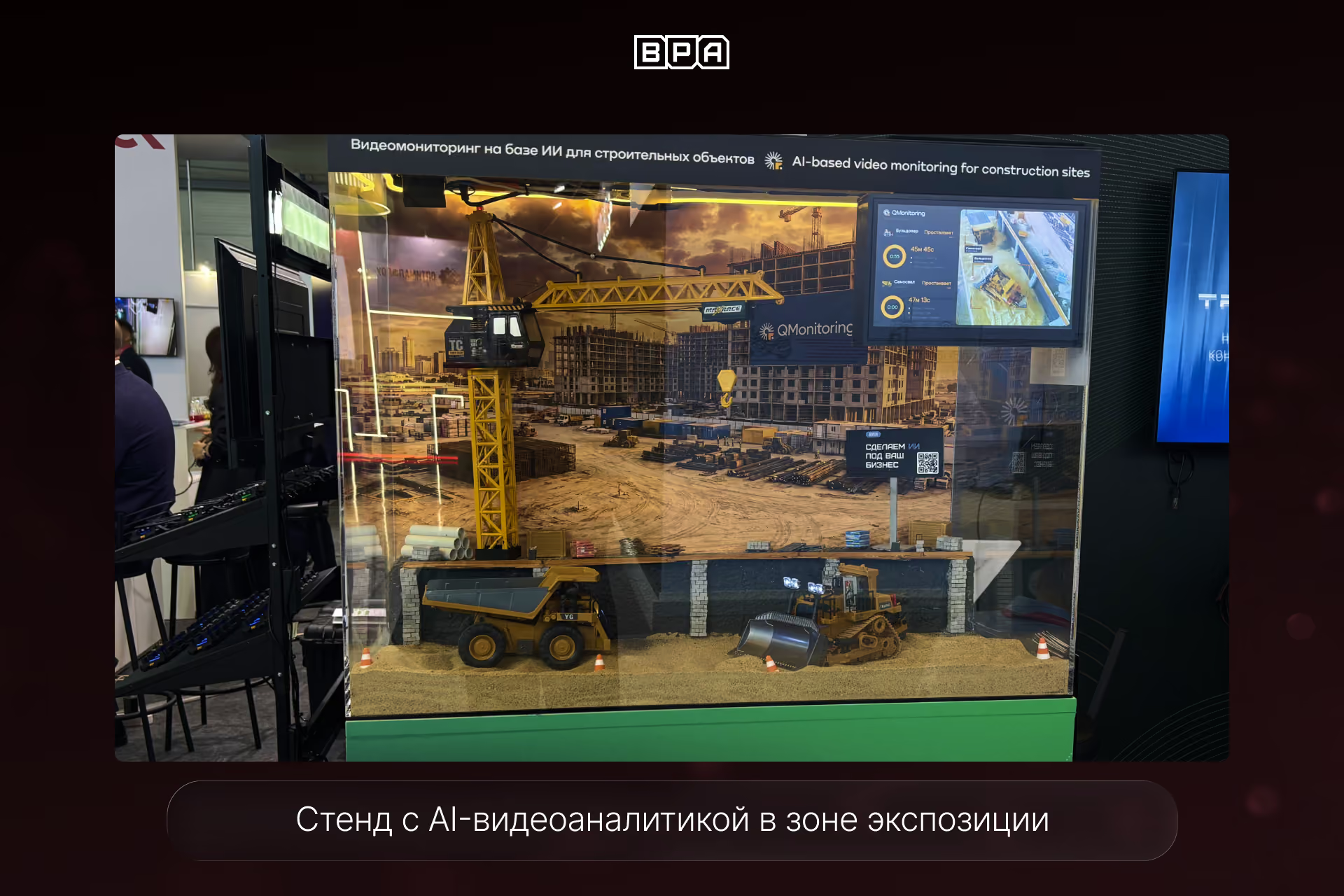
The camera is installed inside the acrylic housing at the construction site level, rather than from above. This makes the image look like a shot from a real site: the viewer sees the machinery, materials, and work zones from the perspective of a video monitoring system, rather than as a toy diorama. This makes the demonstration of computer vision, embedded video analytics, and construction monitoring more intuitive and realistic.
Local video stream processing is implemented within the display: the system can define control zones, recognize objects, track the movement of machinery, display statuses, and generate demonstration events. Essentially, the display acts as a compact video analytics server in an exhibition format, showing how artificial intelligence can turn ordinary camera footage into data for monitoring processes on a site.
Computer Vision Demonstration
The main idea of the project was to combine a physical model with a digital component. A camera inside the display captures the diorama, and the image is output to a screen with overlaid analytics.
The video stream can demonstrate the capabilities of computer vision technologies: highlighting zones, recognizing machinery, tracking movement, counting objects, detecting changes, or simulating an analytics dashboard.
The demonstration scenario implements several levels of system operation.
The first level is a standard video feed from the camera inside the diorama. This creates the effect of observing a miniature construction site and immediately explains to the viewer that the system is working with real imagery.
The second level is the overlay of control zones. For example, you can highlight a machinery movement zone, a material storage area, a hazardous zone near an excavation, or a loading area.
The third level is object recognition. The system can identify construction machinery, people, containers, materials, or movement within the frame. For this display, we used OpenCV, contour detection, color masks, bbox detection, and ArUco markers.
The fourth level is the demonstration of analytics. The screen can display events such as "machinery operating," "machinery idle," "object in hazardous zone," "materials moved," or "activity detected on site."
This is how the display shows the practical application of computer vision for construction monitoring.
Screen and Analytics Interface
The screen is placed inside the housing and demonstrates the operation of applied video analytics. It displays the video stream from the camera along with the processing results: bounding boxes around objects, control zones, machinery statuses, operating timers, alerts, and interface elements.
The interface was designed as a clear demonstration of the logic behind construction site analytics. The visitor sees how an ordinary camera turns into a data source: what objects are in the frame, where zones are defined, what has changed, and what events the system can record.
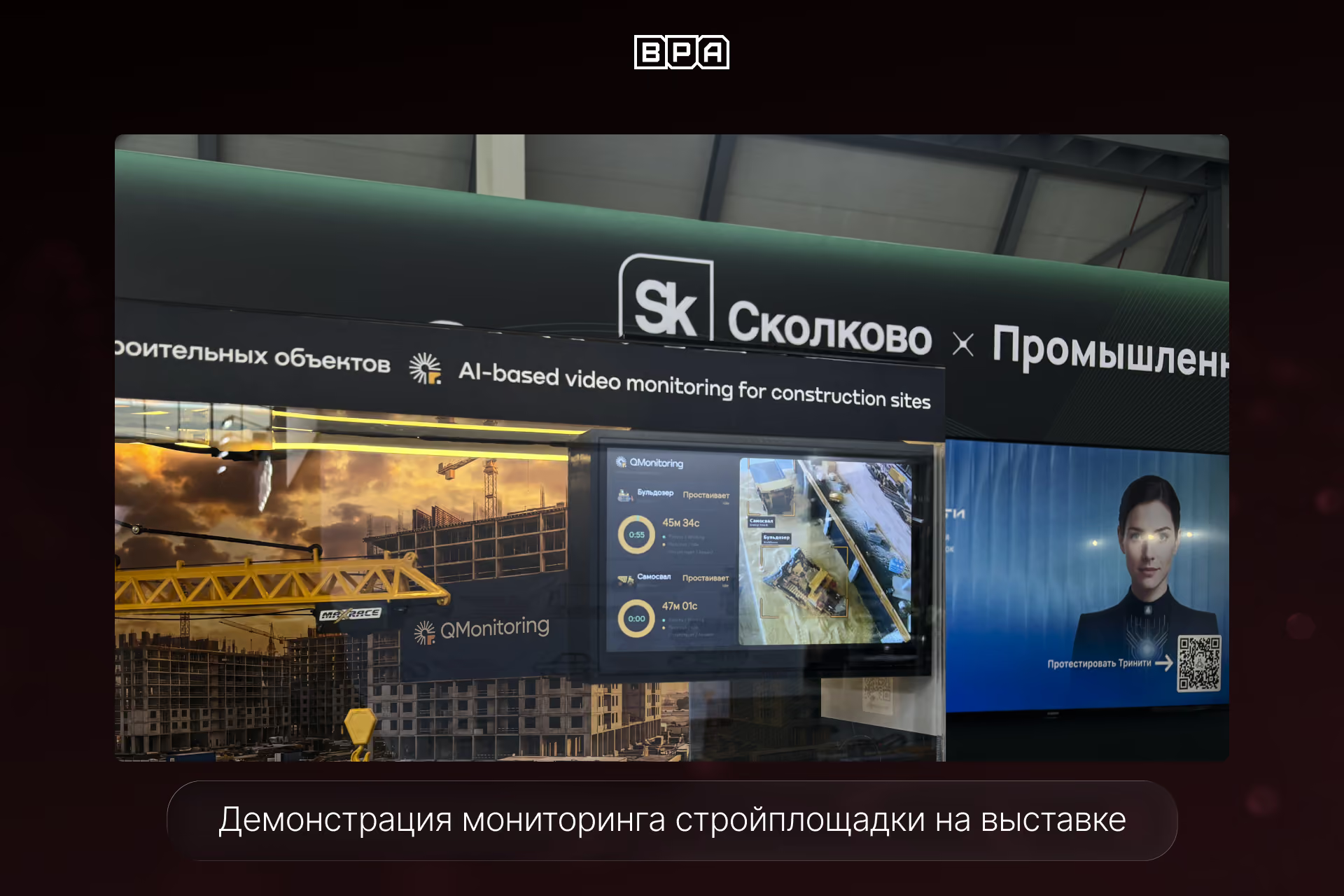
This format helps to quickly explain the value of video analytics and artificial intelligence without long technical explanations.
Lighting and Image Stability
An LED strip is used for lighting. The light is necessary not only for the visual effect but also for the stable operation of the computer vision algorithms.
In low or unstable lighting, cameras struggle to distinguish objects, leading to noise, glare, overexposure, and recognition errors. Therefore, the lighting had to be uniform and sufficiently soft. We carefully selected the lighting angle, camera position, and reflective surfaces inside the enclosure.
The goal was to achieve a stable image for exhibition demonstrations, where ambient lighting can fluctuate and nearby screens, spotlights, and other sources of glare are present.
Combating reflections
One of the main challenges was the transparent acrylic enclosure. It creates glare and reflections, especially when lamps, screens, or bright exhibition lights are nearby.
To address this, we had to carefully plan the lighting layout, camera angle, and internal materials. The less gloss in the model, the more stable the image. We used matte surfaces inside, and wires and technical components were masked so they wouldn't enter the camera's field of view or interfere with the computer vision module demonstration.
Hidden wiring and maintenance
The stand needed to look neat both inside and out. Wires for the camera, lighting, power, and screen had to be invisible to the viewer to maintain the visual integrity of the model.
We used an upper technical zone, hidden openings in the base, cable channels, and disguised wiring within the construction elements. At the same time, the stand couldn't be a one-off build: it was essential to maintain access to the camera, lighting, power supply, and mini-computer.
The design allowed for quick replacement or reconfiguration of the electronics without having to fully disassemble the model.